Getting started
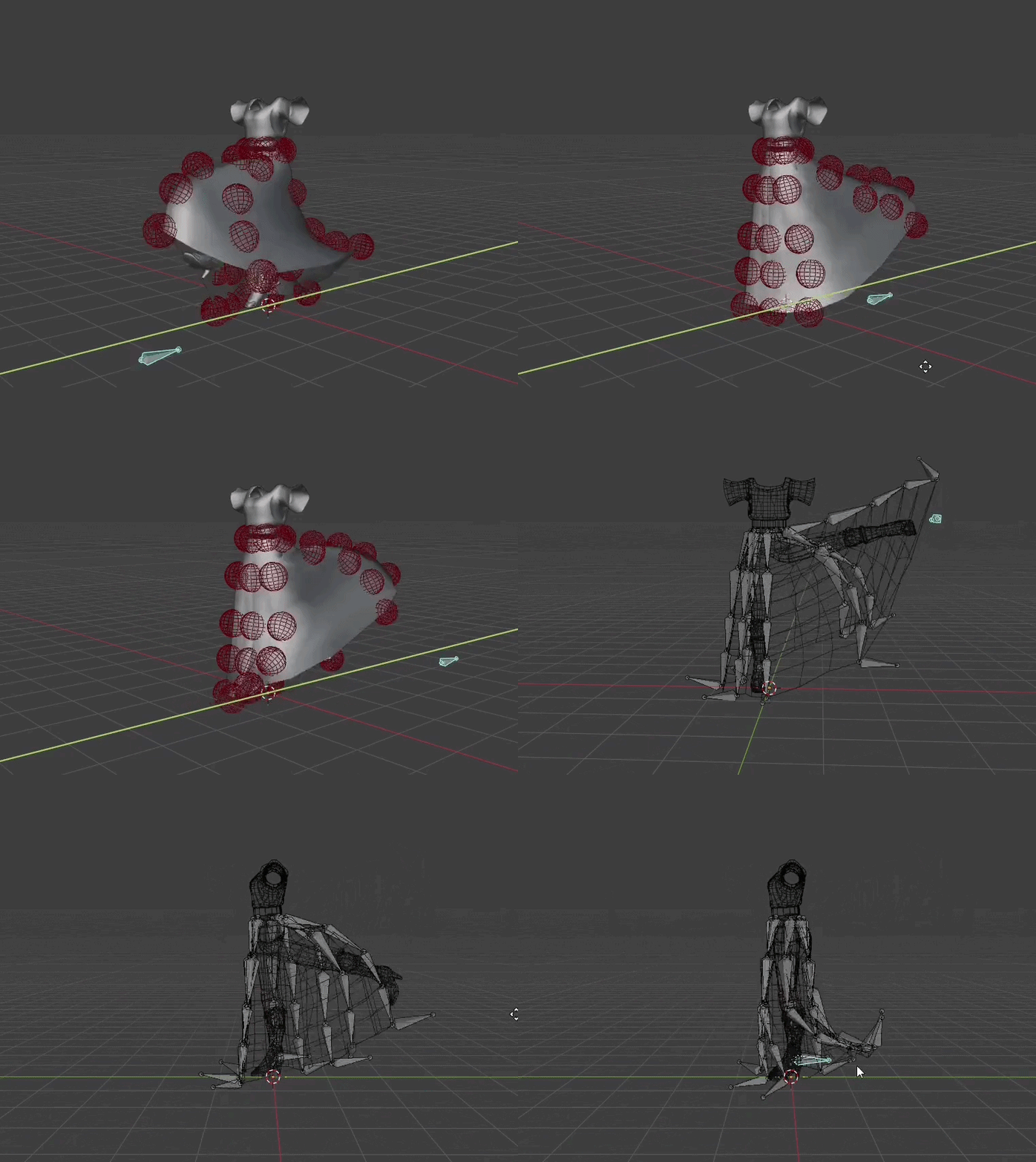
Driver bones are a feature introduced in version 2.0 that enables users to give an impulse to bone chains by using another bone's movement. It can be very helpful to help against clipping.
Warning
This feature is still under development, your feedback is very welcome!
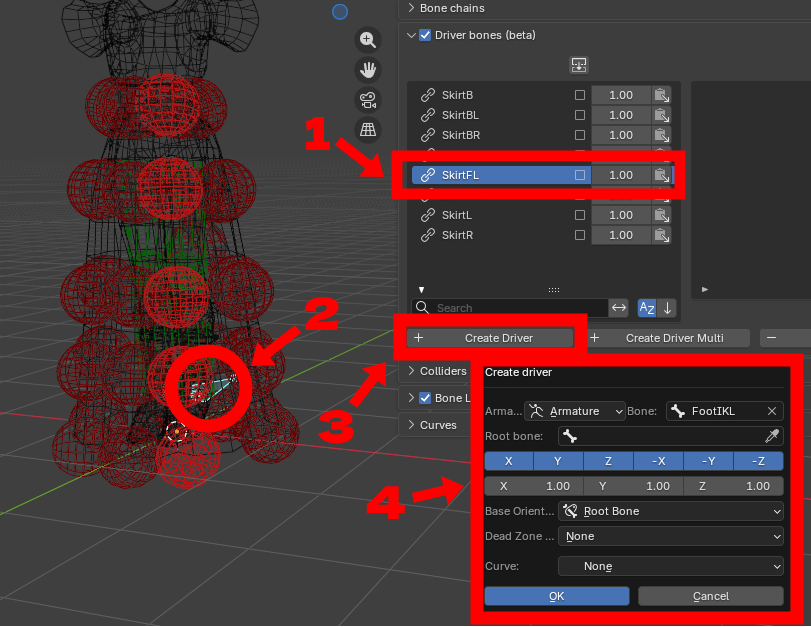
You can create a driver by following these simple steps:
-
1: Under the driver tab, select the bone chain that the driver is going to influence
-
2 (optional): select the driver bone. It is also possible to set it manually in the "create driver panel" so this step can be skipped
-
3: Click on "create driver"
-
4: Set the parameters (you can also set them later) and click OK
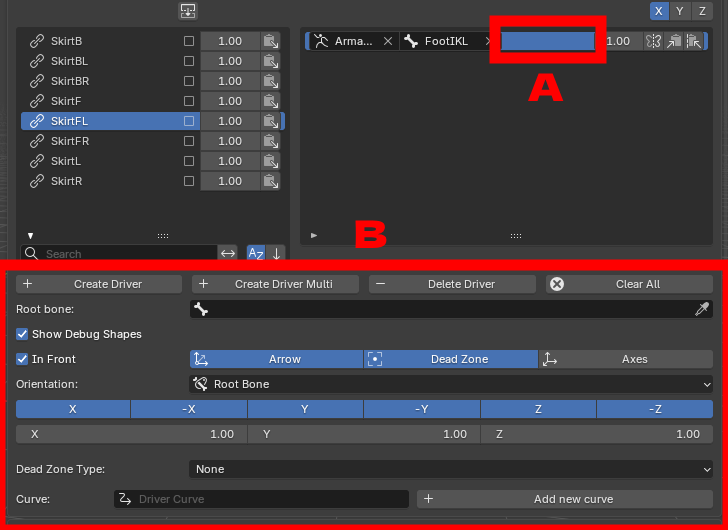
The driver will be added to the driver list of the chain. You can display its parameters by selecting it (A) and then modify them below (B)
Note
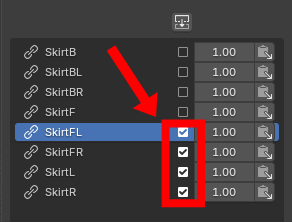
You can add the same driver to several chains by ticking their associated box and choose "Create Driver Multi" instead of "Create Driver"
Moving the driver bone will then give an impulse to its associated bone chain. The behaviour can be fine-tuned using the differents parameters.